
- How Google crawling and indexing actually work
- Confirm that the page is really missing from the index
- Understand the status before changing the page
- What Crawled - currently not indexed means
- What Discovered - currently not indexed means
- Check
noindex, robots.txt, and access restrictions - Resolve duplicate URLs and canonical conflicts
- Improve pages that are technically indexable but weak
- Strengthen internal links and eliminate orphan pages
- Use XML sitemaps correctly
- Investigate server, redirect, rendering, and mobile problems
- Follow a structured indexing recovery process
- When waiting is reasonable and when action is necessary
- Index fewer pages, but make every important page stronger
Website owners who need a clear, practical way to check whether a URL appears in Google can use the detailed guide at https://infok.com.ua/blog/yak-pereviryty-chy-storinka-ye-v-indeksi-google.html. It explains several verification methods and helps users distinguish an actual indexing problem from a page that simply does not rank for a particular search.
Publishing a page does not automatically make it part of Google’s search index. A URL can be accessible to visitors, included in an XML sitemap, linked from the main menu, and still remain absent from search results.
This often leads website owners to repeatedly request indexing, resubmit sitemaps, change titles, or install additional SEO plugins. These actions may create activity without addressing the real reason Google has excluded the page.
The correct solution depends on where the indexing process has failed. Google may not have discovered the URL, may have discovered it without crawling it, may be blocked from accessing it, or may have crawled the page and decided not to index it. Each situation requires a different response.
How Google crawling and indexing actually work
Google Search generally processes web pages through three stages: crawling, indexing, and serving. During crawling, Googlebot discovers a URL and downloads its resources. During indexing, Google analyzes the page, its content, metadata, links, media, and relationship to other URLs. The serving stage begins when Google selects indexed content that may answer a user’s query.
These stages are connected, but completing one does not guarantee the next. A page can be crawled without being indexed. It can also be indexed without appearing prominently for the searches a business considers important.
Google explicitly states that it does not guarantee crawling, indexing, or placement in search results, even when a page complies with its technical requirements. Indexing depends on factors such as page content, metadata, accessibility, canonical selection, and Google’s assessment of whether the URL should be stored in its index.
This distinction matters because ranking changes cannot fix a page that is not indexed. At the same time, indexing alone does not guarantee impressions, clicks, or useful search visibility.
Before trying to improve rankings, confirm that Google can access the page, has selected the intended canonical URL, and considers the content worth indexing.
A productive diagnosis therefore begins with the indexing status, not with keyword density, backlinks, or title tag experiments.
Confirm that the page is really missing from the index
Google Search Console’s URL Inspection tool should be the primary source for checking a specific URL. It shows information about the version Google has processed, including its indexing status, last crawl, declared canonical, Google-selected canonical, and any detected indexing restrictions.
Enter the complete URL into the inspection field. Small differences matter. HTTP and HTTPS versions, URLs with and without a trailing slash, parameterized URLs, and different subdomains can be treated as separate addresses.
The initial inspection result represents Google’s stored information, not necessarily the page as it exists at that moment. A website owner may have already removed a noindex directive or repaired a server problem, while Search Console continues to display information from an earlier crawl.
In that situation, use Test Live URL. The live test checks whether Google can currently access and process the page. It can reveal whether an old technical restriction is still present, although Google notes that the live test does not evaluate every factor required for indexing. For example, it cannot reliably predict which canonical URL Google will ultimately select.
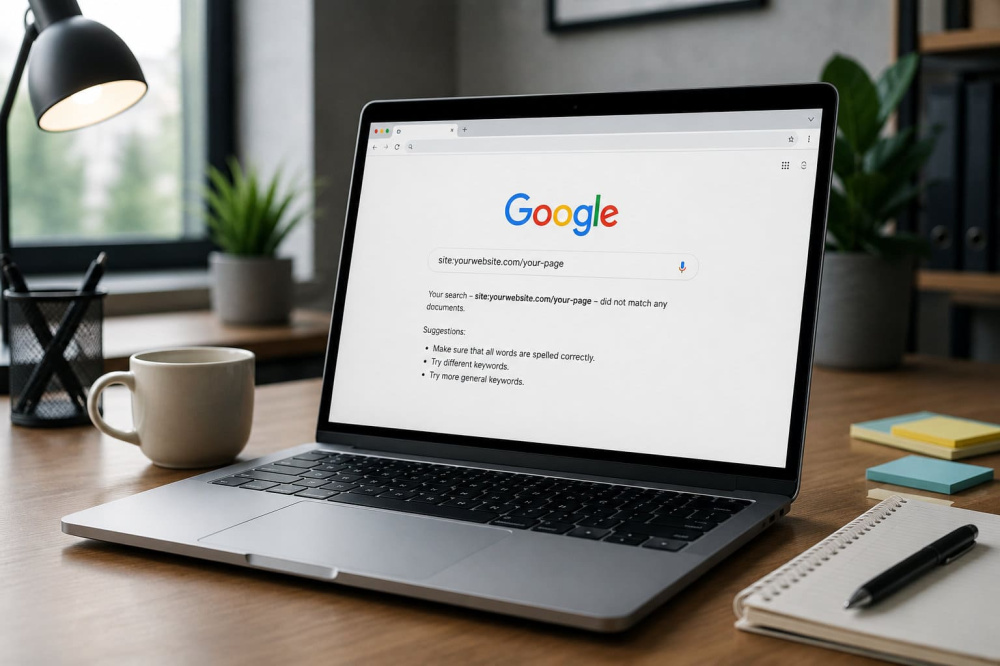
The site: search operator can provide a quick secondary check, but it should not replace Search Console when the site owner has access to the property. Search Console provides URL-specific diagnostic information that an ordinary search result cannot show.
Understand the status before changing the page
The Page Indexing report groups URLs according to the reason Google has not indexed them. Some statuses indicate a real problem, while others describe normal and intentional behavior.
| Search Console status | What it usually means | First action |
|---|---|---|
| Crawled - currently not indexed | Google visited the URL but did not add it to the index | Evaluate content value, duplication, and canonical signals |
| Discovered - currently not indexed | Google knows the URL but has not crawled it | Review discovery, internal linking, server capacity, and URL inventory |
Excluded by noindex |
Google found an indexing restriction | Remove the directive when exclusion is accidental |
| Blocked by robots.txt | Googlebot cannot crawl the content | Review the matching robots.txt rule |
| Duplicate without user-selected canonical | Google found another version of the content | Declare and reinforce the preferred canonical |
| Google chose a different canonical | Google rejected the declared canonical preference | Compare content and conflicting canonical signals |
| Page with redirect | The inspected URL redirects elsewhere | Inspect the final destination URL |
| Soft 404 | The URL responds like a valid page but appears empty or missing | Add meaningful content or return the appropriate status code |
| Server error | Googlebot received a 5xx response | Repair hosting, application, or infrastructure problems |
A large number of excluded URLs is not automatically evidence of poor SEO. Filter pages, tracking parameters, duplicate versions, redirected addresses, deleted products, and intentionally private pages often should not be indexed.
Google recommends examining the reason assigned to each URL group instead of assuming that every excluded page requires correction.
The real objective is not to maximize the number of indexed URLs. It is to ensure that valuable, canonical, search-ready pages are indexable while unnecessary URL variations remain excluded.
What Crawled - currently not indexed means
The status Crawled - currently not indexed confirms that Google has already accessed the page. The issue is therefore usually not initial discovery.
Google states that the URL may or may not be indexed later and that there is no need to resubmit it merely because this status appears.
This status can occur temporarily after a new page is published. However, when important URLs remain in this category for an extended period, website owners should examine whether the pages provide enough independent value to justify inclusion.
The problem is often visible at the template or site-section level. A site may publish hundreds of pages that differ only by location name, product attribute, keyword variation, or a few introductory sentences. Each URL may technically work, but Google can determine that several pages belong to the same content cluster or offer little additional value.
Another common pattern is a blog containing numerous articles that repeat information already covered more comprehensively elsewhere on the same domain. Even when exact sentences differ, the pages may satisfy the same search intent and compete with one another.
Google’s documentation explains that indexing is not guaranteed and identifies low-quality page content as one possible cause of exclusion. Its guidance for content creators also recommends producing reliable, people-first material rather than pages created mainly to attract search traffic.
When Google has already crawled a page, another indexing request rarely replaces the need to improve the page itself.
Before republishing, determine whether the URL deserves to exist as a separate search result. In some cases, merging several weak pages into one authoritative resource is more effective than expanding every page independently.
What Discovered - currently not indexed means
The status Discovered - currently not indexed means Google knows that the URL exists but has not crawled it yet. Search Console normally shows no last crawl date for these pages.
Google’s documentation notes that crawling may be rescheduled when requesting the URL could overload the site. However, website owners should not interpret every discovered URL as evidence that their hosting plan is inadequate.
For smaller websites, the problem is frequently connected to site architecture or an excessive number of low-priority URLs. Google may discover thousands of filter pages, tag archives, calendar URLs, search-result pages, session parameters, or duplicate category combinations while important content receives little internal emphasis.
Large and frequently updated websites may need a more detailed crawl-efficiency analysis. Smaller business websites usually benefit more from reducing unnecessary URLs, strengthening internal links, and making the preferred pages easier to identify.
Review the Crawl Stats report when an established site develops a large discovered backlog. Google recommends checking host availability, failed requests, response times, and periods when Googlebot encountered server-capacity warnings. Availability problems can limit crawling even though they do not necessarily indicate a permanent indexing problem.
The correct response is to improve the quality of the crawl path. Important pages should be linked from relevant indexed pages, included in navigation where appropriate, and separated from large quantities of low-value URL variations.
Check noindex, robots.txt, and access restrictions
Accidental indexing directives are among the most straightforward problems to fix. They frequently appear after a site redesign, staging migration, CMS change, plugin update, or template replacement.
A page can be excluded through a robots meta tag:
<meta name="robots" content="noindex">
It can also receive an X-Robots-Tag: noindex instruction through the HTTP response headers. This method is commonly used for PDFs and other non-HTML resources, but it can affect ordinary web pages as well.
Google must be able to crawl the page to detect the noindex directive. Blocking the same URL in robots.txt prevents Googlebot from seeing the tag. Google also states that placing a noindex instruction inside robots.txt is not supported.
This creates an important distinction:
-
Robots.txt controls whether Googlebot may request a URL;
-
noindexcontrols whether accessible content may be stored and shown in search; -
Password protection or authentication prevents unauthorized access;
-
A canonical tag communicates the preferred version but is not an indexing prohibition.
A URL blocked by robots.txt can sometimes still appear in search when Google discovers it through external or internal links. In that case, Google may know the address without crawling the page content, which can result in a limited search snippet.
Also check for firewall rules, bot-protection services, geographic restrictions, login requirements, and security tools that may return 401, 403, or challenge pages to Googlebot. A page that works in the site owner’s browser may still be inaccessible to the crawler.
Resolve duplicate URLs and canonical conflicts
Google groups identical or substantially similar URLs and selects one representative version as the canonical. The other URLs may be crawled but excluded from the index as duplicates.
Duplicate versions can be created by:
-
HTTP and HTTPS addresses;
-
WWW and non-WWW hostnames;
-
Trailing slash variations;
-
URL parameters;
-
Print-friendly versions;
-
Tracking URLs;
-
Product filters and sorting options;
-
Repeated category paths;
-
Separate mobile URLs;
-
Copied location or service pages.
A rel="canonical" element is a strong signal, but it is not an absolute command. Redirects are also strong canonical signals, while sitemap inclusion is weaker. Google may combine these signals and select a different URL when the site sends inconsistent instructions.
For example, a page may declare URL A as canonical while the sitemap contains URL B, internal links point mostly to URL C, and URL A redirects to URL D. Google must resolve the contradiction and may choose a version the website owner did not intend.
When Search Console reports Duplicate, Google chose different canonical than user, compare the user-declared canonical with Google’s selected version. Look at the page content, internal links, redirects, sitemap entries, hreflang annotations, and protocol or hostname variations.
Google recommends consistently linking to the canonical URL from within the site. Sitemap files should also contain the preferred canonical addresses rather than every duplicate version.
When two pages are intended to rank independently, changing the canonical tag is not enough. Their purpose and primary content must be substantially different.
Improve pages that are technically indexable but weak
A page can pass every technical test and still remain outside the index. This is one of the most frustrating outcomes because Search Console may report that the live URL is available to Google without identifying a single repairable error.
Technical indexability only means that Google is allowed to process the page. It does not mean that the page offers enough value to be selected.
A serious content review should examine whether the page:
-
Answers a clear and meaningful search intent;
-
Adds information that is not already available on stronger pages;
-
Contains original experience, examples, data, or expert analysis;
-
Provides enough detail for the subject;
-
Matches the expectations created by its title;
-
Avoids repetitive template sections and empty introductions;
-
Is substantially different from other pages on the site;
-
Gives the reader a reason to trust the information.
Adding more words is not automatically an improvement. A 3,000-word article can remain weak when it repeats generic advice, while a concise page can be valuable when it provides a direct answer, original evidence, or a useful tool.
Content updates should address the actual reason the page deserves independent indexation. Add missing comparisons, firsthand observations, examples, methodology, limitations, current information, or practical instructions. Remove filler rather than expanding it.
For ecommerce and directory websites, thin category and location pages require particular attention. A product grid, city name, and reused paragraph may not establish enough independent value. Useful filters, localized details, inventory information, buyer guidance, service conditions, and genuine distinctions can make the page more relevant to users.
The question is not whether the page contains enough text. The question is whether indexing it improves Google’s available set of answers.
When several pages answer the same question, consolidation may be the strongest solution. Redirect weaker versions to the best page and update internal links accordingly.
Strengthen internal links and eliminate orphan pages
Google discovers many URLs by following links from pages it already knows. A sitemap can support discovery, but it does not replace a coherent internal structure.
Important pages should be reachable through ordinary crawlable HTML links. Google recommends using <a> elements with valid href attributes because script-only navigation and nonstandard clickable elements may not be reliably processed as links.
An orphan page has no meaningful internal links pointing to it. It may exist in a sitemap or CMS database, but the surrounding website gives Google little evidence that the page is important.
Internal linking should reflect topic relationships rather than merely distribute links across every page. A comprehensive guide can link to specialized supporting articles. Product categories can link to their most important subcategories. Blog posts can point to relevant service or comparison pages when the connection helps the reader.
Anchor text should describe the destination naturally. Generic wording such as “click here” provides less context than wording connected to the subject of the target page.
Also review pagination, infinite scrolling, JavaScript-loaded content, and mobile navigation. Google should be able to follow a stable crawl path to important URLs without reproducing a user’s clicks, filters, or on-screen interactions.
Use XML sitemaps correctly
An XML sitemap tells search engines which URLs the website considers important. It can improve discovery, particularly for new, large, frequently updated, or media-heavy websites.
A sitemap is not a command to index every submitted URL. Google describes sitemap submission as a hint and does not guarantee that listed URLs will be crawled or included in the index.
The sitemap should contain only canonical URLs that return a successful response and are intended for search visibility. It should not routinely include:
-
Redirecting URLs;
-
Pages blocked by robots.txt;
-
URLs marked
noindex; -
Duplicate parameter versions;
-
Deleted pages;
-
Soft 404 pages;
-
Internal search results;
-
Staging or development addresses.
Accurate lastmod values can help communicate meaningful changes, but they should represent real page updates. Automatically changing every sitemap date each day does not prove that the content has changed.
Segmenting large sitemaps by content type or site section can simplify diagnosis. Separate files for products, categories, articles, and locations make it easier to identify where indexed ratios have changed.
After submission, compare the sitemap with the Page Indexing report. A valid sitemap confirms that Google can read the file. It does not confirm that every page listed within it deserves indexing.
Investigate server, redirect, rendering, and mobile problems
Indexing depends on the response Google receives when it requests and renders a page. Intermittent technical failures can therefore produce confusing results.
A 5xx response indicates that the server failed while processing the request. Occasional errors may be temporary, but repeated failures can reduce crawling and prevent important URLs from being processed. Google recommends using Crawl Stats and URL Inspection to investigate availability problems.
Redirect chains and loops can also block successful processing. Search Console may report a redirect error when the chain is too long, points to an invalid URL, loops back to an earlier address, or ultimately produces another failure. A redirected URL itself is normally not indexed; the final target is the URL that may be selected.
Soft 404s occur when a server returns a successful response, often HTTP 200, but the page appears to contain no meaningful content or displays a not-found message. Truly removed pages should normally return a genuine 404 or 410 response. A page that should exist needs enough primary content to make its purpose clear.
JavaScript websites require additional testing. Google can render JavaScript, but blocked resources, failed API requests, delayed content, client-side routing, and rendering errors can prevent the crawler from receiving the same primary content visible to users. Google recommends reviewing the rendered HTML and loaded resources through URL Inspection when JavaScript may be involved.
Mobile output must also be checked. Google uses the mobile version of a page for indexing, so a desktop page may look complete while the mobile version omits the main text, structured data, images, or internal links. Google recommends keeping primary content and metadata equivalent across mobile and desktop presentations.
Follow a structured indexing recovery process
Random edits make indexing problems harder to diagnose. A controlled workflow allows the site owner to identify the cause, apply an appropriate fix, and measure whether Google processed the change.
-
Inspect the exact URL
Use URL Inspection to review the indexed status, last crawl, Google-selected canonical, declared canonical, and detected restrictions. -
Run the live test
Confirm that Google can currently access the page and render its primary content. -
Check the HTTP response
Verify that an indexable page returns HTTP 200 and does not pass through unnecessary redirects. -
Review indexing directives
Search the HTML and response headers fornoindex, conflicting robots rules, or CMS-level visibility settings. -
Compare canonical signals
Confirm that the canonical tag, internal links, redirects, sitemap, and hreflang implementation point toward compatible URLs. -
Evaluate the page’s independent value
Compare the URL with other pages on the same site and with the results already available for its target search intent. -
Improve internal discovery
Add contextual links from relevant indexed pages and make sure the URL is reachable through crawlable navigation. -
Clean the sitemap
Include the canonical URL only when it returns 200, is indexable, and is intended to appear in search. -
Request indexing after meaningful changes
Submit the URL once after repairing a genuine issue or substantially improving the page. -
Monitor the result
Allow time for recrawling and compare changes in the Page Indexing report, URL Inspection, impressions, and indexed-page totals.
Google notes that crawling can take from several days to several weeks. Requesting a crawl does not guarantee indexing, and submitting the same URL repeatedly does not make Google process it faster.
For many URLs affected by the same problem, fix the shared template, directive, server behavior, or content pattern before requesting validation. Correcting one example page will not resolve a site-wide cause.
When waiting is reasonable and when action is necessary
A newly published page does not always need immediate intervention. When the URL is accessible, internally linked, included in a clean sitemap, self-canonicalized, and genuinely useful, waiting for Google’s normal crawling process may be appropriate.
Action becomes more urgent when established pages suddenly disappear, indexed totals drop sharply, server errors increase, important sections receive noindex, canonical selections change unexpectedly, or a redesign creates a large group of excluded URLs.
Compare the timing of the decline with recent website changes. Common triggers include CMS migrations, theme updates, domain or protocol changes, redesigned URL structures, CDN configuration, firewall rules, plugin changes, and bulk content publication.
Search Console’s URL Inspection tool does not test manual actions, security issues, legal removals, or every quality condition. When widespread exclusion cannot be explained by page-level diagnostics, review the Manual Actions and Security Issues reports as well.
Do not use the Request Indexing button as a routine publishing strategy. A healthy website should allow Google to discover important pages through its architecture, internal links, and sitemap without requiring manual submission for every URL.
Index fewer pages, but make every important page stronger
The goal of technical SEO is not to force Google to index every URL a website can generate. Large quantities of duplicate, empty, outdated, or low-value pages can make a site harder to crawl and harder to understand.
A strong indexable page sends consistent signals. It returns the correct status code, allows crawling, contains no accidental noindex, declares an appropriate canonical, appears in the sitemap, receives relevant internal links, and offers content that deserves to exist independently.
When all of these elements are aligned, an indexing request can help Google revisit a repaired or substantially updated page. When they are not aligned, repeated submissions usually postpone the real work.
Indexing problems are therefore best treated as diagnostic evidence. They reveal weaknesses in content strategy, website architecture, canonical management, server reliability, or page quality.
The most sustainable solution is not to search for a trick that forces inclusion. It is to make the intended page technically unambiguous, easy to discover, and meaningfully better than the alternatives Google has already processed.